My brand-new account got 20 million views and 48,000 followers in 5 days.
I made every one of those videos with AI, on a normal computer, with no camera and no animation skills. In the Vault I teach you exactly how I do every part of it, using everything I learned along the way.
Get the Vault
Launch sale: everything I learned for
- The one-paste setup prompt that builds your studio
- 13 modules that follow my exact process
- 14 prompts I actually use, ready to copy
- Video walkthroughs of every step
- My timing, sound and posting rules
- The trial reel and cross-posting system
- Personal feedback from me if you're stuck after a week
- Lifetime access, including every update
Digital product, so all sales are final. I can't promise views to anyone, since results depend on your own work.
If you're stuck after a real week of trying, send me your receipt and your videos and I'll tell you exactly what I would change.
Inside the Vault
Here's what's locked inside
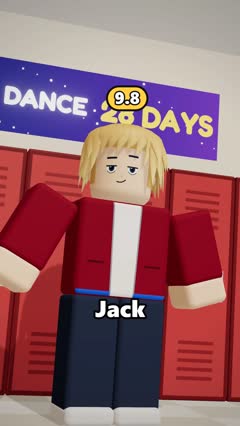
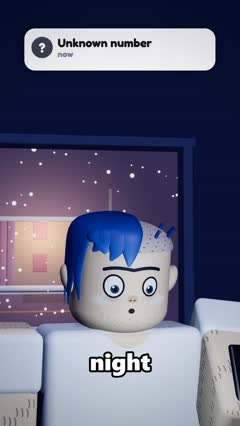
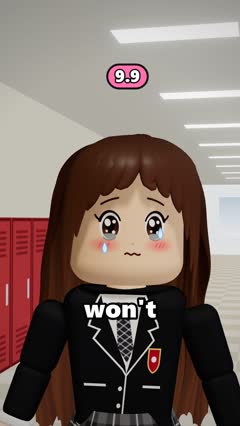

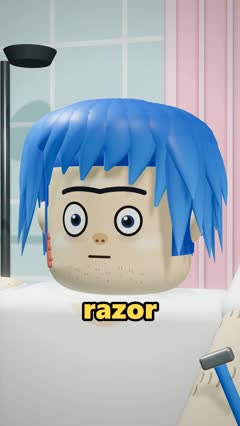
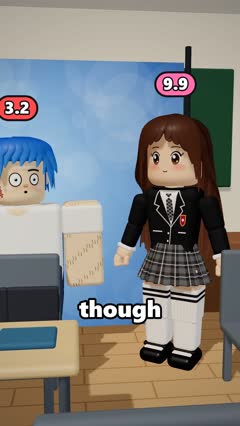
I'm not giving you tips. I'm showing you exactly how I make every video.
Most courses tell you to "post consistently" and "hook the viewer." This one gives you the actual prompts I paste, the exact timings I use, and the posting system I built while my account grew. You can open @draftwars.app and see that it works.
The process
What we'll go through together, step by step
The course follows the same order I use for every episode, so by the end you'll have made your own videos with the same system.
- 01
Set up your AI studio about 30 min
You paste one setup prompt, and Claude builds a small video studio on your computer and renders your first test clip. I show it on video from start to finish.
You getThe full setup prompt and my rules file that sets every timing and level before Unlocks with the Vault - 02
Invent a series people want to follow
We work out your town's one strange rule, your main character and their deadline, and a twist you can slowly reveal. I explain why this structure keeps people coming back every day.
You getThe series interview prompt and three example series broken down Unlocks with the Vault - 03
Write episodes that hold attention
I teach you the order I write every script in and the exact second-by-second timing, plus the mistake that was making viewers leave at second five.
You getMy episode prompt with hook, catch-up and cliffhanger built in Unlocks with the Vault - 04
Create the video
Characters with real expressions, full backgrounds, camera moves and captions that land on the right word. You'll see one line of script become a finished shot.
You getCharacter, set and shot prompts plus the checks that catch broken frames Unlocks with the Vault - 05
Voice, sound and timing
One narrator voice, the speed trick I use, music levels that don't make people swipe, and how I stopped paying for the same voice line twice.
You getThe audio prompt and my exact levels for voice, music and sound effects Unlocks with the Vault - 06
The marketing system I built
How I post across four apps, read the retention graph, use trial reels to reach people who don't follow me, and turn comments into the next episode.
You getMy posting kit and the trial reel method step by step Unlocks with the Vault - 07
Keep going until one takes off
What to change after each video, how to fix the exact second people leave, and what to do the day a video blows up.
You getThe diagnosis prompt that rewrites your weakest moment Unlocks with the Vault
Learned the hard way
Things I only found out by doing it
Each of these cost me views before I worked it out. In the Vault I show you exactly what I changed.
My opening was losing most people at the same moment.
The hook was fine, but the very next line made viewers think it was a different video. One small change to how the hook connects to the story fixed it.
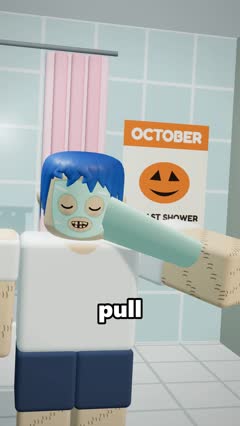
A video I thought had flopped went past 2 million views.
It sat at a few thousand views for hours, then took off the next day. I'll show you how to read the early signs instead of giving up on a video too soon.
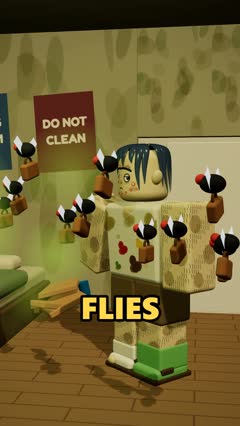
Posting the same episode on every app added millions of extra views.
Instagram, TikTok, YouTube Shorts and Snapchat each show your video to different people. I'll show you how I post to all four without extra work.
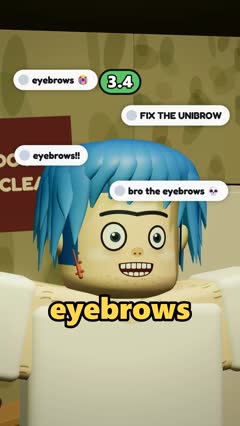
Asking people to comment made them leave.
Every time the narrator said "comment," retention dropped because viewers thought the video had ended. I'll show you where the question goes instead.
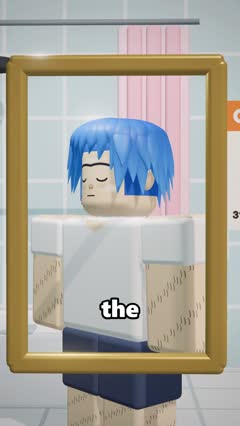
See it on video
Every step is shown on screen
Setup. One prompt builds your studio and renders a test video.
Writing the script, from a blank page to a full episode.
Building a scene, from one line to a shot with captions.
Post every episode on Instagram, TikTok, YouTube Shorts and Snapchat. It's one video reaching four different audiences, and it's a big part of how my account reached 20 million views so fast.
Questions people ask
What do I need?
A computer works best. You build everything with an AI assistant, and the first lesson shows you how to start with free or trial plans before you pay for anything. Everything else is free.
Do I need to know how to code or animate?
No. You describe what you want and Claude writes and runs the code. The walkthroughs show every step.
Will my videos go viral?
I can't promise that. You get the exact method that worked for me, the rules I learned the hard way, and my feedback if you get stuck.
Can I copy the Draft Wars series?
No. The apps push original videos, so the course teaches you to make your own series, characters and twist.
How do I get in after paying?
Open the login page and type the email you paid with. You'll get a link that logs you in, with no password.
Is the launch price real?
Yes. When the countdown ends, the price goes back to the regular price.